
Inventory on Autopilot: How to Set Reorder Points for Every Supply Category
Set reorder points once, then let your prepper inventory system do the thinking. You get a restock schedule you can actually follow.

You're standing in your garage with a coffee that's gone cold, staring at a shelf of water filters and wondering when you last restocked them. The good news is you don't need a better memory. You need reorder points and a restock schedule tied to how you actually use your survival supply inventory.
This guide shows you how to set reorder points for every supply category so your self-reliance plan runs on autopilot. You'll build a prepper inventory system that tells you what's next, when it's next, and what to buy before you run low.

The thesis: reorder points turn inventory into a system
Reorder points are simple. They are the inventory level that triggers a restock action. When your on-hand quantity hits that number, you buy more before you run out. That's it.
Most people skip reorder points because they treat inventory like a one-time project. You buy stuff, you label it, you feel good, then life happens. You end up playing "inventory roulette" later, discovering gaps only when you actually need the item.
A real prepper inventory system changes the job. It uses a predictable trigger so you aren't guessing. You make a decision once, then let the math and your habits do the rest.
Here's the key idea: reorder points are not universal. They depend on three things you can measure: your usage rate (how fast you burn through it), your lead time (how long it takes to get replacements), and your buffer (the extra amount that covers delays or surprises).
That buffer is what keeps you from scrambling. It's also what makes the system hold up during busy months, shipping delays, or stretches when you use more than planned.
The "autopilot" part comes from consistency. You check your inventory on a schedule, not when you happen to remember. When an item hits its reorder point, you restock it on your restock schedule.
And yes, you will still have to do one human task: set the numbers. After that, you spend minutes reviewing, not hours rebuilding your plan.
Step 1: organize your survival supply inventory into categories
Before you set reorder points, you need categories that match how you store and consume supplies. Too broad and your numbers lie. Too narrow and you drown in spreadsheets.
Use categories that reflect real bins, shelves, or containers. Think "what you can grab" not "what it is." For example, "first aid" is a category. "Bandages in the small bin" is a subcategory. Every supply category should have a clear storage location and a clear unit of measure.
A practical unit makes reorder points easy. Count items (like gloves), measure by weight (like salts), or track by dose count (like tablets). If you can't measure it, you can't set a reorder point.
A quick category map you can steal
Here's a category structure that fits most survival supply inventory systems:
- Water and water treatment (filters, purification tablets, spare cartridges)
- Food staples (grains, shelf-stable meals, baking supplies)
- Cooking and hygiene (fuel starters, soap, trash bags)
- First aid and meds (bandages, antiseptic, prescription refills)
- Tools and maintenance (batteries, duct tape, cleaners)
- Lighting and power (flashlights, charging cables, power banks)
- Shelter and comfort (tarps, blankets, heat packs)
Adjust this to your situation. The point is that each category ties to a restock schedule you can actually follow.
Example scenario: your garage filter shelf
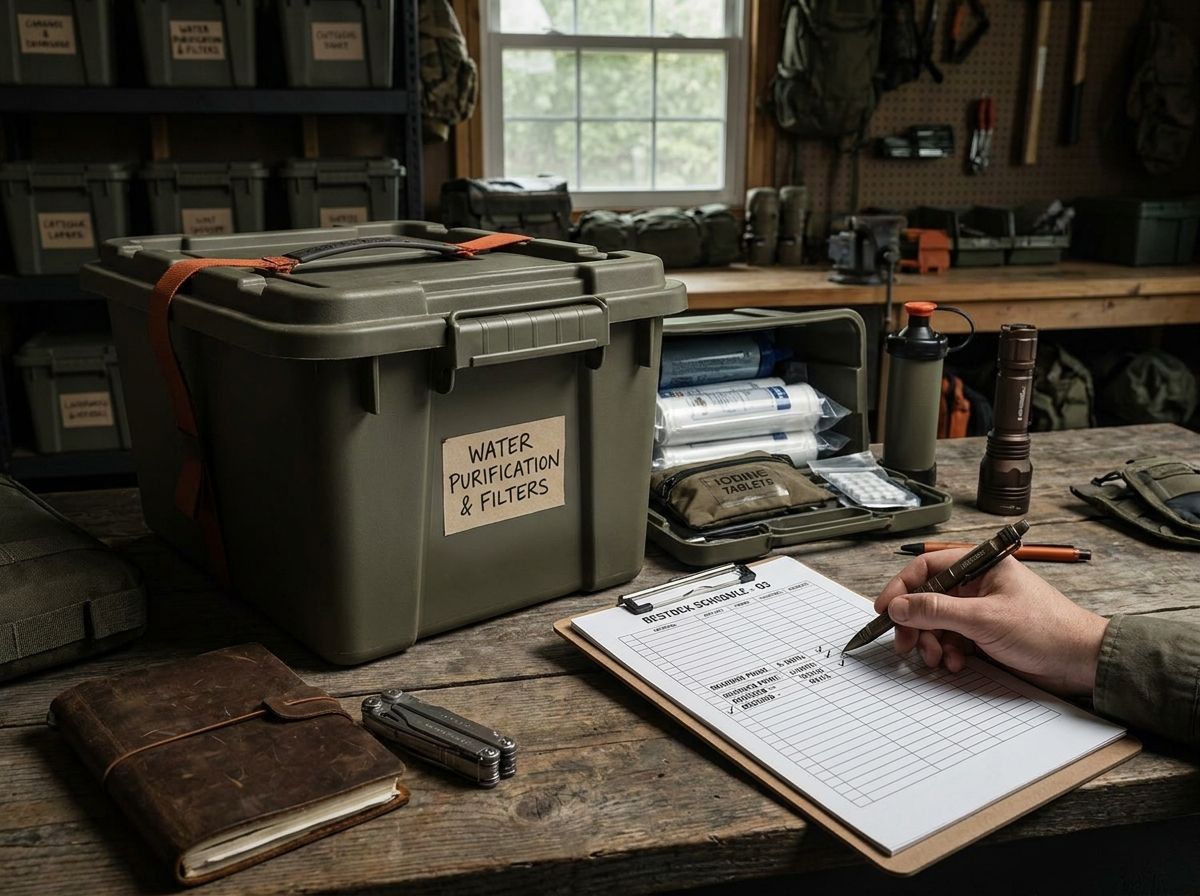
Last fall, Sam Wills noticed that water filters are not a "set it and forget it" item. He had a small shelf with three filter cartridges and a box of backup adapters. The shelf made "on-hand quantity" obvious, and counting cartridges during his quarterly check took about 30 seconds.
That's what you want. Your inventory system should match your storage reality.
If your storage is spread out, pick a "home base" location for each category. Reorder points work best when you know exactly where the units live.
And if you already have labels, you're ahead. Labels are the skeleton of your prepper inventory system.
Step 2: measure usage rate without turning it into a hobby
Usage rate is where most people get stuck. They either guess, or they track everything for months and burn out. Neither works.
You don't need perfect data. You need consistent data.
Start with a simple approach: track usage for 90 days, then estimate a monthly rate. Update it after a few cycles.
A 90-day window captures real-world variation without demanding much from you. If your usage is seasonal, you'll adjust later.
Choose one usage method
Pick one method per category:
- Consumption tracking: how many units you use in a time period
- Replacement tracking: how many you replace during restocks
- Event-based tracking: how many you use per household event (like travel, camping, or seasonal chores)
For many prepper inventory system setups, replacement tracking works best. You may not remember what you used two years ago, but you know what you bought to replace it.
Example scenario: hygiene and soap
In March, you use 2 bars of soap for cleaning and regular hand washes during a home project. You also toss one bar because it melted faster than expected in the heat. Track "bars used" for 90 days and you get a realistic monthly consumption number.
Now you can set reorder points in units that mean something: bars per month, not "a vague idea of soap."
Data points you can use without overthinking
The CDC has long emphasized that hand hygiene and sanitation reduce transmission of infectious agents. You don't need to memorize the exact figures to make the inventory math work. What matters is that hygiene supplies get used more frequently than people expect, especially during seasonal illness spikes.
So your usage rate likely climbs right when you need supplies most. That's one reason you add a buffer.
A simple usage rate worksheet
For each category, write:
1) Unit you track (cartridges, bars, tablets, rolls)
2) Quantity used in last 90 days
3) Monthly usage rate = (90-day usage) / 3
If you don't have 90 days of history, use your best estimate and correct it after your next check.
The system improves with each cycle. It's supposed to.
Step 3: set reorder points using lead time and buffer
Now you're ready to set reorder points. This is the heart of inventory on autopilot.
Reorder point formula (in plain English):
Reorder points = (monthly usage rate x lead time in months) + buffer
Lead time in months is how long it takes to get replacements after you place the order. That includes ordering time, shipping, and the time it takes to put everything away.
Your buffer covers the "stuff happens" factor. Shipping delays, backorders, using more than planned, not placing the order the moment you notice.
How to estimate lead time
Use your real buying timeline. If you order on a Tuesday and it arrives the following week, your lead time might be 0.25 months. If you order from a specialty supplier and it can take 3 to 6 weeks, lead time might be 0.5 to 1.0 months.
If you don't know, do this for one month: order an item you already need and record the time from order placement to usable arrival. One data point beats a guess.
Example scenario: batteries for flashlights in Austin
Say you store batteries in a sealed tote in Austin. One summer week of storms knocks out power and you burn through flashlight batteries faster than usual, then make a run to the hardware store for replacements.
Your lead time for batteries from local stores might be 0.1 months. From an online retailer during high-demand periods, it might stretch to 0.5 months. Your reorder point should reflect the slower path if that's what you typically use when you're not in a hurry.
What buffer should you use?
A buffer is not a moral decision. It's a math decision based on risk.
For most categories, a buffer equal to 1 month of usage works well. For items with longer lead times or critical roles, go with 2 months.
Common buffer adjustments:
- Short lead time (local store): buffer = 0.5 to 1.0 month
- Medium lead time (online but usually available): buffer = 1.0 month
- Long lead time or backorder risk: buffer = 2.0 months
This is where your survival supply inventory system gets real. You're not hoarding blindly. You're buying enough to cover your actual supply chain.
Example scenario: prescription refills and meds
Prescription meds carry a specific complication. Lead time can include scheduling an appointment, pharmacy processing, and pickup. Even when the pharmacy is fast, you might not be.
For meds, your buffer should reflect the full cycle. If your refill typically takes 3 to 4 weeks, treat lead time as 1.0 month and buffer as 1.0 more month. That keeps you from learning the hard way that "soon" is not a number.
Step 4: turn reorder points into a restock schedule you will follow
Reorder points tell you when to buy. A restock schedule tells you when you actually do the buying and restocking work.
Without a schedule, you still have a problem. You'll watch items hit the threshold and forget to act until you notice again three weeks later. Autopilot needs a calendar.
Choose a review cadence
Pick a review cadence that matches how quickly your supplies move:
- Monthly: fast-moving items (soap, trash bags, batteries if you test them often)
- Quarterly: most categories (food staples, first aid consumables)
- Semiannual: slow-moving items (tools, shelter hardware, long shelf-life components)
Your reorder points should align with the cadence. Review annually and reorder points become nearly useless, because you wait too long to act.
Use "batch restocking" to reduce friction
You don't want 12 separate shopping trips. Batch it. When your review date hits, check all categories and build one consolidated order list.
That list becomes your restock schedule for the next cycle. Simple.
Example scenario: the kitchen pantry audit in Phoenix
In August, you do a quarterly check of pantry items in Phoenix. Rice and lentils are still above reorder points, but your baking powder is below. Dish soap and trash bags are close to threshold.
Instead of buying one item now and forgetting the others, you batch it. One order: baking powder, dish soap, trash bags. Your prepper inventory system saves time and eliminates the "forgot that one thing" problem.
A simple restock workflow
Use this each review:
- Pull the bin or shelf for each category
- Count units and compare to reorder points
- Add items below threshold to your restock list
- Place the order within a set window (like within 7 days)
- Restock and update the date you filled each category
That last step matters. It turns your system into a loop.
With Mainstay's adaptive learning system, you can keep these restock notes organized so your self-reliance plan stays current without turning into a second job.
And yes, you will eventually forget to update a date. That's fine. You catch it next review.
Step 5: build a survival supply inventory system that stays accurate
The math works until reality changes. Your job is to keep your data clean enough that reorder points stay trustworthy.
Here are the accuracy killers and how to fix them.
1) Unit drift
Unit drift happens when you change packaging or storage. For example, you track "tablets per bottle," then you buy a different bottle size.
Fix it by writing a clear unit rule. If you track by "bottles," track by bottles every time. If you track by "tablets," record the tablet count per bottle on your label.
2) Partial use that doesn't get logged
You use a few tablets on a camping trip and put the rest back. You don't recount. Now your reorder point math is off.
Fix it by doing a quick count right after the event. Ten minutes beats guessing later.
3) Rotations without replacement
Rotations are good. Rotations without replacement are how gaps appear.
If you eat through a portion of your food storage for testing, your prepper inventory system should flag replacements at the same time. A widely used method in preparedness planning is "use and replace," it keeps your survival supply inventory stable while still letting you verify usability.
Example scenario: first aid updates after a road trip
You take a road trip and use a bandage, some antiseptic wipes, and a small roll of tape. You come home and toss the used items but don't update counts.
Next quarter, you think you're fine. You aren't. Your reorder point system breaks.
So when you return from a trip, do a 2-minute "inventory reconciliation." Update only what you touched. That's it.
A practical audit checklist
Keep it short. Every review, you check:
- Items in the category match the tracked unit
- Quantity is counted correctly
- Storage location is still the same
- Any damaged items are removed and replaced
This is how you keep your prepper inventory system honest.
Common reorder point mistakes (and how to avoid them)
You can set reorder points correctly and still have the system fail if your process has weak spots. Here are the mistakes that show up most often.
Mistake 1: using one lead time for everything
Lead time differs by supplier and by item type. Filters, batteries, and specialty meds are not the same category of problem.
Fix it by assigning lead time tiers. Local store items: 0.1 months. Online items: 0.5 months. Specialty items: 1.0 months.
Mistake 2: skipping buffer because you "hate extra stuff"
Buffer is not extra. Buffer is coverage against the delays you can't predict.
If you live somewhere that storms regularly disrupt shipping, buffer matters more than you think. Your supply chain is part of your risk model.
Mistake 3: setting reorder points too low
Low reorder points create stress. Stress makes people delay orders. Delayed orders create shortages.
Fix it by testing your system. After two review cycles, look at whether you had to rush-buy anything. If you did, raise reorder points by adjusting your buffer or lead time estimate.
Mistake 4: counting wrong
Counting wrong is the silent killer. If you miscount tablets, misread labels, or estimate by weight when you should be counting units, your reorder points drift quietly until they're useless.
Fix it by standardizing your counting method. Count by unit, not by feel.
Mistake 5: not updating usage rate
Usage changes. Add a family member, shift your routines, or travel more frequently and your monthly usage rate shifts too.
Fix it by revisiting usage rate every 6 months. If you're already tracking 90-day windows, you can update faster without losing control of the numbers.
A quick sanity check
After you set reorder points, ask:
- Could I restock within lead time?
- Is my buffer enough to cover a delay?
- Would I notice the problem at review time?
If the answers feel shaky, adjust before you trust the autopilot.
FAQ
How do I set reorder points if I don't know my usage rate yet?
Use your best estimate for the first set, then correct it after one review cycle. Track usage for 90 days going forward so your survival supply inventory stays grounded in reality. Update reorder points when your estimated usage differs from your actual counts.
What unit should I track for food and water treatment supplies?
Track units you can count quickly: pounds or cans for food, and cartridges or bottles for water treatment. If you track by tablets, write the tablet count per bottle on your label so your reorder points stay accurate across packaging changes.
How often should I review my prepper inventory system?
Review fast-moving categories monthly, most categories quarterly, and slow-moving categories at least semiannually. Your restock schedule should match your review cadence so items below reorder points get ordered promptly.
Do reorder points work for medications and prescriptions?
Yes, but you need a longer lead time and buffer. Treat the full refill process as lead time, then add extra buffer so you avoid delays caused by appointments or pharmacy processing.
What's the easiest way to keep my restock schedule from slipping?
Batch your orders during your review window. Build a short workflow: count, compare to reorder points, add to a list, place the order within a set number of days, then update your records.
Want this handled automatically? See the Mainstay membership.
Subscribe to comment
Join the Mainstay newsletter to leave a comment — and get new field notes in your inbox.
Get new field notes in your inbox
Practical, calm preparedness — one useful note at a time.