
Power Without Panic: Backup Power Inventory and Refill Planning
A clear, step-by-step way to track your backup power and plan replenishment so outages don’t turn into chaos.

Mara is standing in her kitchen with a flashlight in one hand and her phone in the other. The power went out ten minutes ago. The fridge hum is gone, the microwave is dead, and her brain is doing that fast, panicky math: How long will this last, and what did we already use?
Then Sam Wills walks in from the garage carrying a small labeled bin. No big speech. He opens it, checks the labels, and says, "We've got enough battery power for lights and phones for a while. We'll refill the rest this weekend." Mara exhales. The outage didn't disappear, but the panic did.
That's what a backup power inventory and a replenishment plan actually does. It turns "What do we have?" into "Here's what we have, here's what it can do, and here's when it needs replacing."
Why your backup power inventory matters more than you think
A power outage is rarely a single problem. It's a chain reaction. Lights go out, charging stops, your phone battery drops, and people start tearing through drawers and closets. That searching burns time and burns batteries.
Most of us don't fail because we don't care. We fail because we accumulate supplies over months and never connect the dots. Batteries get tucked into a drawer "for later." Flashlights migrate to a closet shelf. A power bank sits in a nightstand until it quietly dies. You end up with gear, but no system.
With Mainstay's adaptive learning system, you can build that connection between what you own and when it needs attention. The key isn't buying more. It's knowing what you already have, what it powers, and what "replenish" actually means for your household.
Here's what a solid backup power inventory does for you in the first hour of an outage:
- It tells you which flashlights are ready and which ones need fresh batteries.
- It shows you what batteries and power banks still have usable capacity.
- It gives you a clear next step so you're not improvising under stress.
And yes, you will still feel annoyed. That's normal. But you'll feel capable too.
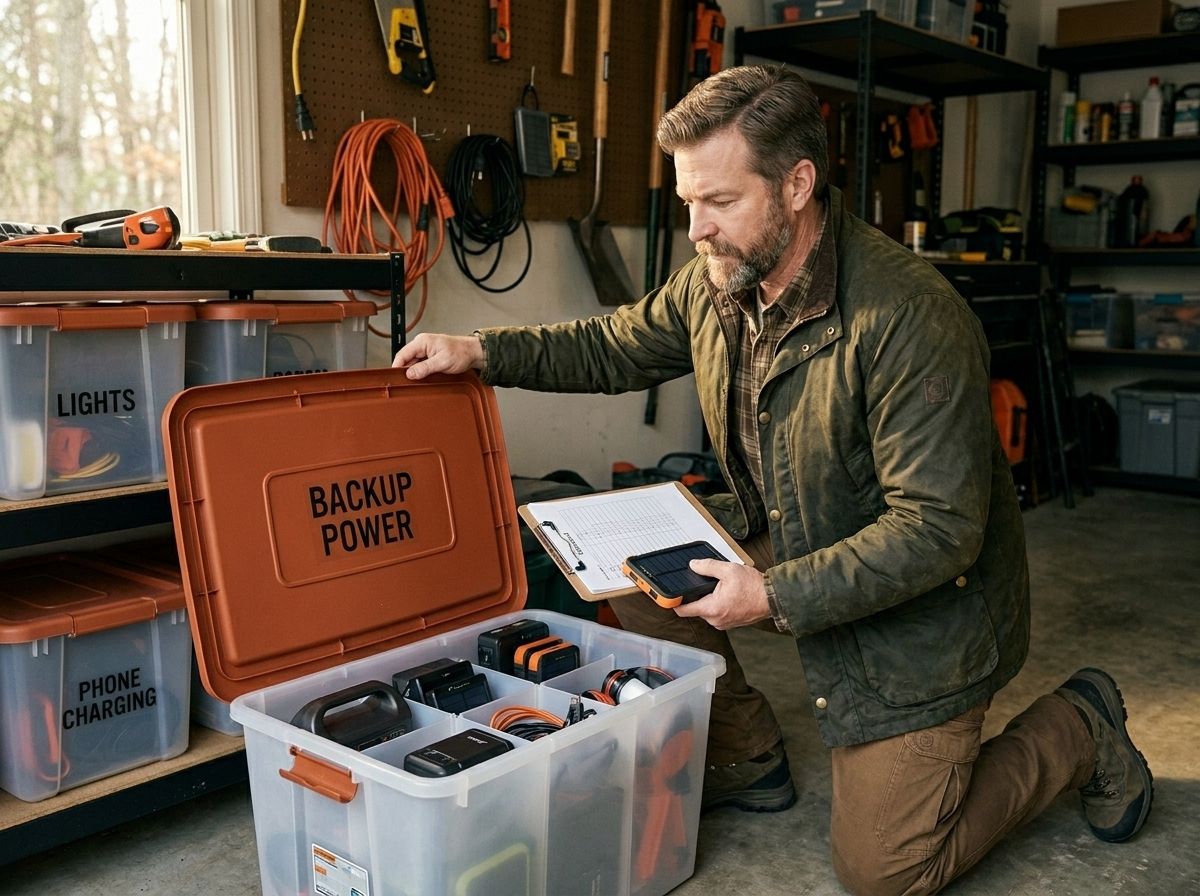
Step-by-step: build a backup power inventory you can actually use
This is where you get permission to keep it simple. You're not building a NASA logbook. You're building a tool you can use while the power is out and your patience is short.
Step 1: Pick your "power jobs" before you list your supplies
Grab a notebook or open a notes app. Write down the jobs your home needs covered during an outage. Keep it short. Real-life examples:
- Flashlights and pathway lights
- Phone charging
- Router and basic communication
- A small fan or medical device power needs (if applicable)
Why this matters: battery inventories get messy when you list items without tying them to tasks. Tie supplies to jobs, and your replenishment plan becomes obvious later.
Step 2: Gather every power-related item into one staging area
Don't do this at midnight. Do it on a Saturday morning when you can actually focus. Bring everything to one table or a cleared floor space.
Include:
- Flashlights and headlamps
- Spare batteries (AA, AAA, C, D, 9V)
- Rechargeable batteries (if you use them)
- Power banks and charging cables
- Small battery lanterns
- Any solar charger panels and their cords
- Extension cords set aside specifically for backup use (if you have them)
You might find three different brands of AA batteries rattling around in three different spots. Fine. The inventory is where you admit reality, not where you pretend you planned perfectly.
Step 3: Create one inventory sheet with three columns that you can maintain
Your inventory sheet can be a spreadsheet, a printed page in a binder, or a single document on your phone. Three columns:
- Item (what it is)
- Status (what condition it's in right now)
- Refill trigger (the number or date that tells you to restock)
Status examples:
- "In flashlight, batteries installed"
- "Spare in bin, unopened pack"
- "Charging now"
- "Needs replacement"
Refill trigger examples:
- "Replace batteries when installed cells are used"
- "Replace power bank when capacity drops or after X months"
- "Refill lantern batteries every 6 months"
You're building a system that answers one question: what needs attention next?
Step 4: Record the "where it lives" detail
Add a fourth note line under each item for location. This is the step people skip and then regret at 11 PM in a blackout.
For example:
- "Flashlights: hallway bin, top shelf"
- "AA spares: garage cabinet, labeled container"
- "Power banks: kitchen drawer, small pouch"
When the power goes out, you don't have time for a scavenger hunt.
Step 5: Do a quick functionality check, not a perfect test
You don't need to run every flashlight for an hour. You need to know it works.
Quick check:
- Turn on each flashlight and headlamp for 10 to 20 seconds.
- Test each power bank with a phone cable (even if you don't fully recharge it).
- Confirm you have the right cables for your devices.
If something fails, mark it "needs replacement" in the inventory sheet immediately and plan the fix.
Step 6: Add "consumable" quantities for batteries
Batteries become a real problem when you don't track counts. Track quantities in the units you actually buy and replace.
For example:
- AA: "12 batteries installed total across 3 devices, plus 24 spares"
- AAA: "18 spares, 2 in smoke detector backup"
- 18650 cells (if you use them): "4 cells in charger, 4 in spares bag"
If you keep batteries in packs, note pack counts too.
Step-by-step: plan replenishment like a grown-up (without losing your weekend)
A replenishment plan is where the calm shows up. It turns "We should restock sometime" into "We restock on purpose."
Step 1: Choose your check cadence
Pick a schedule you can actually keep. Two rhythms work well for most households:
- A monthly quick glance at the inventory sheet and battery status
- A seasonal deeper check (spring and fall covers most situations)
If you already rotate other supplies seasonally, attach this habit to that one. The calendar is your friend here.
Step 2: Use "triggers" instead of vague time
Time-based replenishment helps, but triggers keep you from guessing when "later" actually is.
Common refill triggers for backup power:
- After you use batteries during any outage, even a short one
- When a power bank stops holding a consistent charge
- When a flashlight shows dim output during the quick check
- When you notice missing cables or mismatched connectors
Simple rule: if a device failed its 10 to 20 second test, it gets replaced or repaired before the next season. No exceptions.
Step 3: Write a replenishment plan that matches how you shop
You don't want a plan that requires a special order every single time. Match the plan to your actual purchasing habits. If you buy batteries at one store and power banks online, plan around that reality.
Your replenishment plan should cover:
- What to restock (batteries, power banks, cables)
- How much to restock (based on your inventory counts)
- Where it goes (location in your home)
- Who handles it (you, your partner, a specific person)
- When it happens (date or seasonal window)
Keep it in the same bin as the inventory sheet if you want a one-page system.
Step 4: Plan for the "after the outage" moment
The first outage you get through with your system will feel like a field test. You'll learn what you burned through faster than expected.
So after any outage, do a short reset: move used batteries into the "spent" area right away so you don't accidentally reuse them, mark what ran out or went dim, update the inventory sheet immediately, and schedule replenishment within a week.
This one habit keeps your inventory from slowly turning into fiction.
Step 5: Build a replenishment kit for the next refill
When you restock, prep the next refill at the same time. It takes ten extra minutes and saves real stress later.
Keep a small "next refill" bag or container stocked with:
- One set of spare batteries for your most-used flashlights
- A fresh charging cable for your phone (or whichever connector type you rely on most)
- A small pack of backup batteries for radios and smaller devices
When something gets used, you swap quickly. You're not waiting on a shopping run while the house is already on edge.
Common mistakes that make backup power feel unreliable
You might recognize a few of these. Most are fixable without buying a single new thing.
Mistake 1: Batteries stored separately from devices
Classic. The flashlight is in one place. The batteries are in another. During the first hour of an outage, you end up holding a dead flashlight and hunting for the missing pack. (I've done this. It is exactly as frustrating as it sounds.)
Fix: keep batteries installed in your primary flashlights and keep spares in the same bin as the flashlight.
Mistake 2: Power banks treated like "set it and forget it"
Power banks slowly lose charge even when you're not using them, that's just how lithium cells work. The problem is discovering that during an outage.
Fix: do a monthly check by charging them to full, then noting the date in your inventory sheet.
Mistake 3: Cables that don't match your devices
It's not always the power bank that fails. It's the cable.
Fix: inventory cables by type. If you have a USB-C phone and a micro-USB older device, both connectors need to be accounted for.
Mistake 4: No "spent" tracking
If you don't track used batteries, you end up mixing them back in with good ones. Then the next outage is a repeat performance of the same problem.
Fix: create a "spent" container. Even a zip bag labeled "spent batteries" does the job.
How to organize your bins so you can grab and go
You want your system to be fast. An outage is not the time to puzzle out where things are.
Simple bin setup that fits most homes:
- One "lighting bin" for flashlights, headlamps, and spare batteries
- One "charging bin" for power banks, cables, and adapters
- One "spares bin" for extra battery packs and replacement supplies
Label each bin clearly, with text you can read in low light. If you have a partner, agree on the bin names. The inventory sheet supports the bin system, not the other way around.
And if you want to get extra organized without going overboard, write the inventory sheet's location at the top of the sheet itself. That way you never lose the instructions.
Using Mainstay's inventory mindset to stay calm during outages
When you build a backup power inventory and replenishment plan, you get two wins at once. You protect your equipment. You protect your head.
That second part matters more than people admit. The goal isn't to eliminate stress. It's to cut out the specific stress that comes from not knowing what you have.
With Mainstay, you can keep your inventory organized so you know exactly what you have and when it needs replenishment. But the system is only useful if it stays current, so treat the inventory sheet like a living document, not a trophy.
A small consistent habit beats a perfect spreadsheet you never touch. A 10 minute monthly check keeps you ahead of the slow drift where batteries fade and power banks die without warning.
And when the power goes out again, you'll do what Sam did. Open the bin. Check the labels. Make a plan for what gets used and what gets replaced.
FAQ
What should I include in a backup power inventory?
Include your flashlights and headlamps, installed batteries, spare batteries by type, power banks, charging cables, and any solar charging gear you use. Add locations and a refill trigger so you can act quickly during a power outage.
How often should I check batteries and power banks?
A monthly quick check works well for most households, plus a deeper seasonal review. If you use your backup power during an outage, update the inventory right after and schedule replenishment within a week.
What's the best way to track battery counts?
Track quantities in the units you buy and replace. For example, count installed batteries across devices and count spare batteries in packs. Keep a "spent batteries" container so you do not mix used cells back into the spares.
Do I need different flashlights for different rooms?
You don't need matching gear everywhere. You do need reliable lighting where people move and where tasks happen. Put a flashlight in the rooms you actually use during an outage, then keep spares in the same bin.
Your next step
Pick one bin today. Lighting or charging, your call. Gather the items into one spot, update your inventory sheet with current status, and write one replenishment trigger you can actually follow on your next free weekend.
You're not behind. You're just at the point where a little organization turns into a lot of calm.
Want this handled automatically? See the Mainstay membership.
Subscribe to comment
Join the Mainstay newsletter to leave a comment — and get new field notes in your inbox.
Get new field notes in your inbox
Practical, calm preparedness — one useful note at a time.